 Kinfoly
Free tool · No account needed
Convert GEDCOM to CSV or Excel
Turn a .ged file into a spreadsheet of everyone in it — names, dates, places, parents and spouses, one row per person. It all happens in your browser: the file never leaves your device.
Drop your .ged file here
Tap to choose a .ged file
or
GEDCOM 5.5, 5.5.1 & 7.0 · .ged up to 50 MB
No file handy? Try it on a sample tree →
file.ged
Reading file…
Just looking? Try it on a sample tree →
100% private — your file is read in your browser. Nothing is uploaded or stored.
How it works
1
Drop a .ged file
Any GEDCOM export — from Ancestry, MyHeritage, FamilySearch, Gramps or any other program.
2
Check the preview
See the first rows of the spreadsheet before you download it, and how many people it holds.
3
Download
An Excel workbook, or a CSV for anything else — made on your device in a second or two.
What’s in the spreadsheet
One row per person, in the order of your file. Dates are written the way the file writes them — 12 Mar 1850, abt 1920, bet 1840 and 1845 — so nothing is guessed or rounded.
IDThe person’s ID in the file, such as I12. The last three columns point to it.
Name, Given names, SurnameThe person’s main name. Given names include middle names.
SexM or F, empty when the file does not say.
Birth date, Birth placeFrom the birth event.
Death date, Death placeFrom the death event.
Father, MotherThe parents in the person’s first family as a child.
SpousesEvery spouse, in the order they married, separated by semicolons.
Father ID, Mother ID, Spouse IDsThe same people by ID, to match rows in a spreadsheet or a database.
Want to see the tree itself rather than a table? Open the same file in the free GEDCOM viewer. New to the format? Read what a GEDCOM file is.
Opening the spreadsheet in Excel, Google Sheets or Numbers, and what a table leaves out: how to convert a GEDCOM file to Excel or CSV.
Frequently asked questions
No. The file is read and converted entirely in your browser, and the spreadsheet is made on your device. Nothing is sent to a server or kept after you close the tab.
One row per person, in the order of your file: ID, name, given names, surname, sex, birth date and place, death date and place, father, mother and spouses, then the IDs of the father, the mother and the spouses so the rows can be joined.
In much of Europe Excel expects values separated by semicolons, not commas. Choose "Semicolon" before downloading the CSV, or download the Excel workbook instead, which has no separators at all.
Excel turns text that looks like a date, such as 12 Mar 1950, into a date of its own and shows it in its own format. The Excel workbook keeps every date exactly as your file writes it, "abt" and "bet" included.
GEDCOM 5.5, 5.5.1 and 7.0 from any genealogy program — Ancestry, MyHeritage, FamilySearch, Gramps, RootsMagic and others — in UTF-8, UTF-16, ANSI or ANSEL, up to 50 MB.
No. A spreadsheet has one row per person, while a GEDCOM also keeps families, sources and notes. To edit the tree itself, import the same .ged into a free Kinfoly account.
Yes. There is no account to create and no limit on how many files you convert.
More free tools
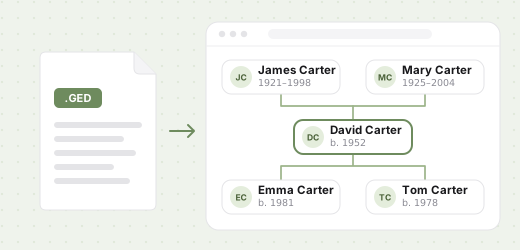 GEDCOM viewer
Open a .ged file and explore the family tree inside it: the tree, a list of everyone, and statistics.
Open →
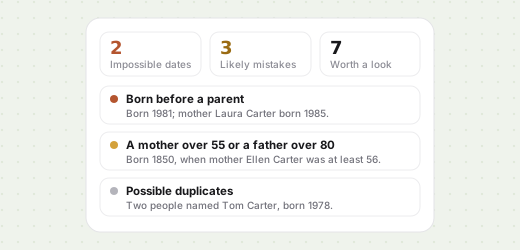 GEDCOM checker
Find impossible dates, unlikely ages and possible duplicates in the family tree inside a .ged file.
Open →
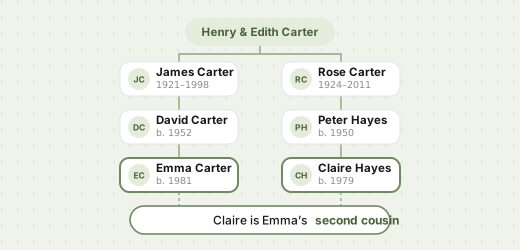 Relationship calculator
Second cousin once removed? Name how two relatives are related, from a common ancestor or a .ged file.
Open →
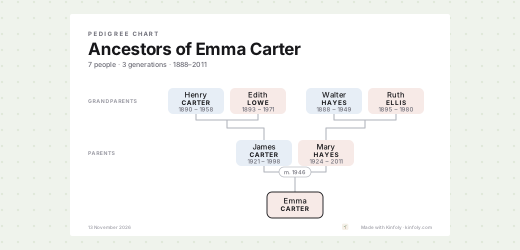 Family tree chart maker
Print a family tree chart from a .ged file: the whole tree, ancestors or descendants, on A4 to Tabloid.
Open →
Keep the tree, not just the table
Import your GEDCOM into a free Kinfoly account to edit people, attach photos and sources, and keep researching.