 Kinfoly
Free online GEDCOM viewer
Open any GEDCOM (.ged) file and explore the family tree inside it — right here in your browser. No sign-up, no upload: your file never leaves your device.
How to open a GEDCOM file
What you can see in your GEDCOM file
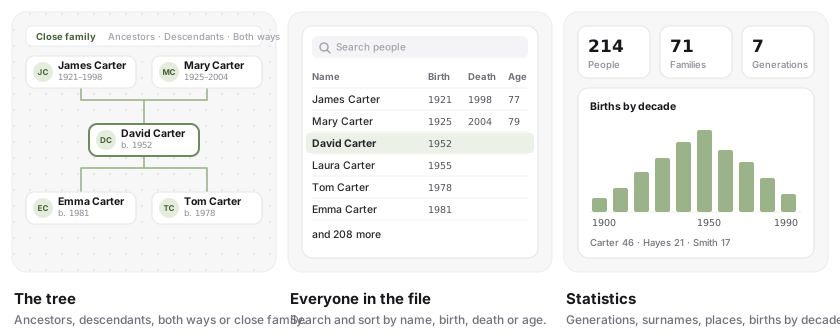
Which files it opens
Any .ged file in GEDCOM 5.5, 5.5.1 or 7.0, up to 50 MB — the export of Ancestry, MyHeritage, FamilySearch, Gramps, RootsMagic, Family Tree Maker and nearly every other genealogy program. Older files written in ANSEL or Windows ANSI are read as such, so accented names come through intact. A .gdz package from a GEDCOM 7 program is a zip: unzip it and open the .ged inside.
Big trees open too. Above 1,000 people the chart shows one person’s lines at a time instead of everyone at once, while the list and the statistics still cover the whole file.
New to the format? What each line of a .ged means, what it leaves out and which version to export: what a GEDCOM file is.
Your file stays on your device — check it yourself
A family tree is full of living people’s names, birthdays and places, so this viewer never sends your file anywhere. The page reads it with code running in your own browser, and nothing is kept once you close the tab.
You don’t have to take our word for it. Open your browser’s developer tools (F12) on the Network tab and drop the file: no request carries it. Or load this page, switch off Wi‑Fi, and open the file — it works just the same.
The site’s analytics run only if you accept the cookie banner, and the part of the page that shows your family is masked from them.
How to export a GEDCOM
Guides
Frequently asked questions
More free tools
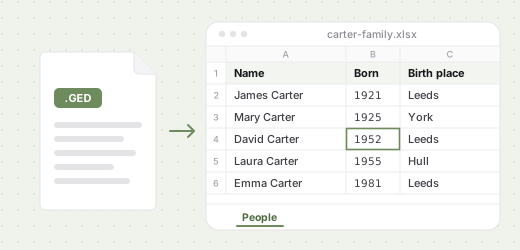 GEDCOM to CSV & Excel
Turn a .ged file into a spreadsheet of everyone in it, with dates, places, parents and spouses.
Open →
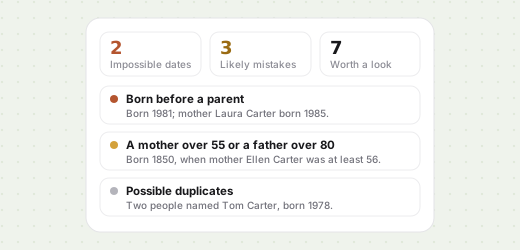 GEDCOM checker
Find impossible dates, unlikely ages and possible duplicates in the family tree inside a .ged file.
Open →
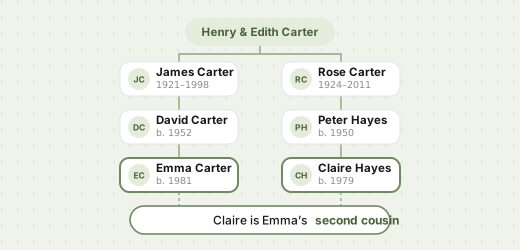 Relationship calculator
Second cousin once removed? Name how two relatives are related, from a common ancestor or a .ged file.
Open →
 Family tree chart maker
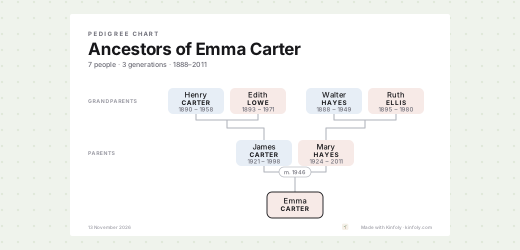
Print a family tree chart from a .ged file: the whole tree, ancestors or descendants, on A4 to Tabloid.
Open →
Ready to grow your tree?
Import your GEDCOM into a free Kinfoly account to edit people, attach photos and sources, and keep researching.