Free tool · No account needed

Family tree chart maker

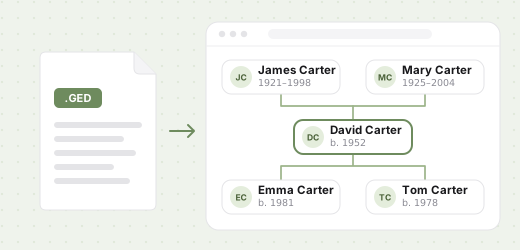
Turn a GEDCOM file into a clean, print-ready family tree chart — the whole family, a pedigree chart of someone’s ancestors, or everyone who came after them. Print it or save it as a PDF. Your file is read in your browser and never leaves your device.

Drop your .ged file here
Tap to choose a .ged file
or
GEDCOM 5.5, 5.5.1 & 7.0 · .ged up to 50 MB
file.ged
Reading file…
Contact us
100% private — your file is read in your browser. Nothing is uploaded or stored.

How it works

1
Drop a .ged file
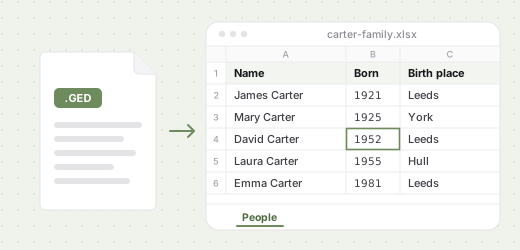
Any GEDCOM export — from Ancestry, MyHeritage, FamilySearch, Gramps or any other program.
2
Choose the chart
The whole tree or one person’s line, how many generations, the sheet and one of four styles. The preview is the page that prints.
3
Print or save
Print it, save it as a PDF with every line sharp, or download a PNG at close to 300 dpi for a print shop or a photo book.

Four kinds of family tree chart

Whole treeEveryone in the file who has a relative in it, laid out generation by generation, couples side by side and the lines kept from crossing where the family allows.
Pedigree chartOne person at the bottom and their ancestors above: parents, grandparents, great-grandparents — as many generations as you choose.
Descendant chartOne person or couple at the top and everyone who came after them, with the husbands and wives who married in, or without.
Hourglass chartAncestors above and descendants below one person — a family reunion on one sheet.

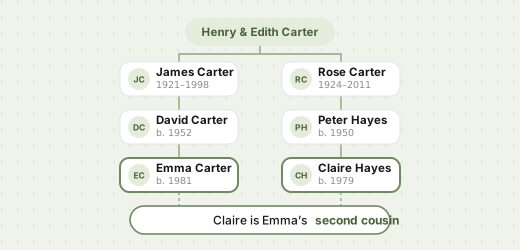
Each row is labelled with what it is to the person the chart is drawn for — parents, grandparents, great-grandchildren — and the page tells you how big the names will print before you print, so a chart for the wall is never a surprise.

Four styles: Modern and Sage with soft colour for women and men, Heritage in a serif on cream, and Ink in black and white for any printer.

Which chart to make for a gift, a reunion or a golden wedding, and how to print it or keep it as a PDF: how to make a family tree chart from a GEDCOM file.

Which sheet fits how many generations, what paper to ask for and what a print shop needs: how to print a family tree poster.

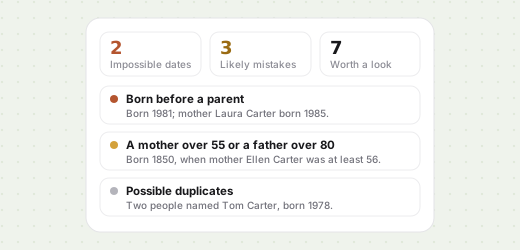
Want to look around the tree first? Open it in the free GEDCOM viewer, or check its dates with the GEDCOM checker before you print.

Frequently asked questions

No. The file is read, laid out and drawn entirely in your browser. Nothing is sent to a server or kept after you close the tab. It goes to Kinfoly only if you choose to import it into an account.
Four: the whole tree; a pedigree chart of one person's ancestors; a descendant chart of everyone who came after someone; and an hourglass chart with ancestors above and descendants below. You choose the person and how many generations to draw.
Click "Print or save as PDF" and choose "Save as PDF" as the printer in your browser's print window. The sheet size is already set. The PDF keeps the text and lines as vectors, so it prints sharp at any print shop.
A4, A3, US Letter and US Tabloid (11 × 17 in), portrait or landscape, or let the page pick the way round that fits the tree best. For a large poster — A2, A1 or A0 — or a tree cut across several A4 sheets to glue together, import the file into a free Kinfoly account and print it from there.
The page tells you how big the names will print, in points. Under about 6 pt they are hard to read from a distance. Draw fewer generations, pick a larger sheet, or switch the orientation — a wide tree fits landscape better.
Not by default. Anyone with no death recorded who was born less than a hundred years ago is printed without their years, so the chart can hang on a wall that ends up in other people's photos. You can turn that off.
The chart prints what is in the file. Correct it in your genealogy program and open the file again, or import it into a free Kinfoly account, fix it there and print from the account.
GEDCOM 5.5, 5.5.1 and 7.0 from any genealogy program — Ancestry, MyHeritage, FamilySearch, Gramps, RootsMagic and others — in UTF-8, UTF-16, ANSI or ANSEL, up to 50 MB. One chart holds up to 1 000 people; in a bigger file, draw one person's line.
Yes. There is no account to create and no limit on how many charts you make. Each chart carries a small "Made with Kinfoly" line at the bottom.

More free tools

All free tools →

A poster for the whole wall

Import your GEDCOM into a free Kinfoly account to print the tree at A2, A1 or A0, cut it across A4 sheets, and fix names and dates before you do.